Industrial Modbus,
modernized.
A complete Modbus Master and Slave simulator in your browser. Read, write, and simulate registers with RTU serial and TCP/IP support. Parse datasheets with AI. Visualize data in real time.


 ModPackQT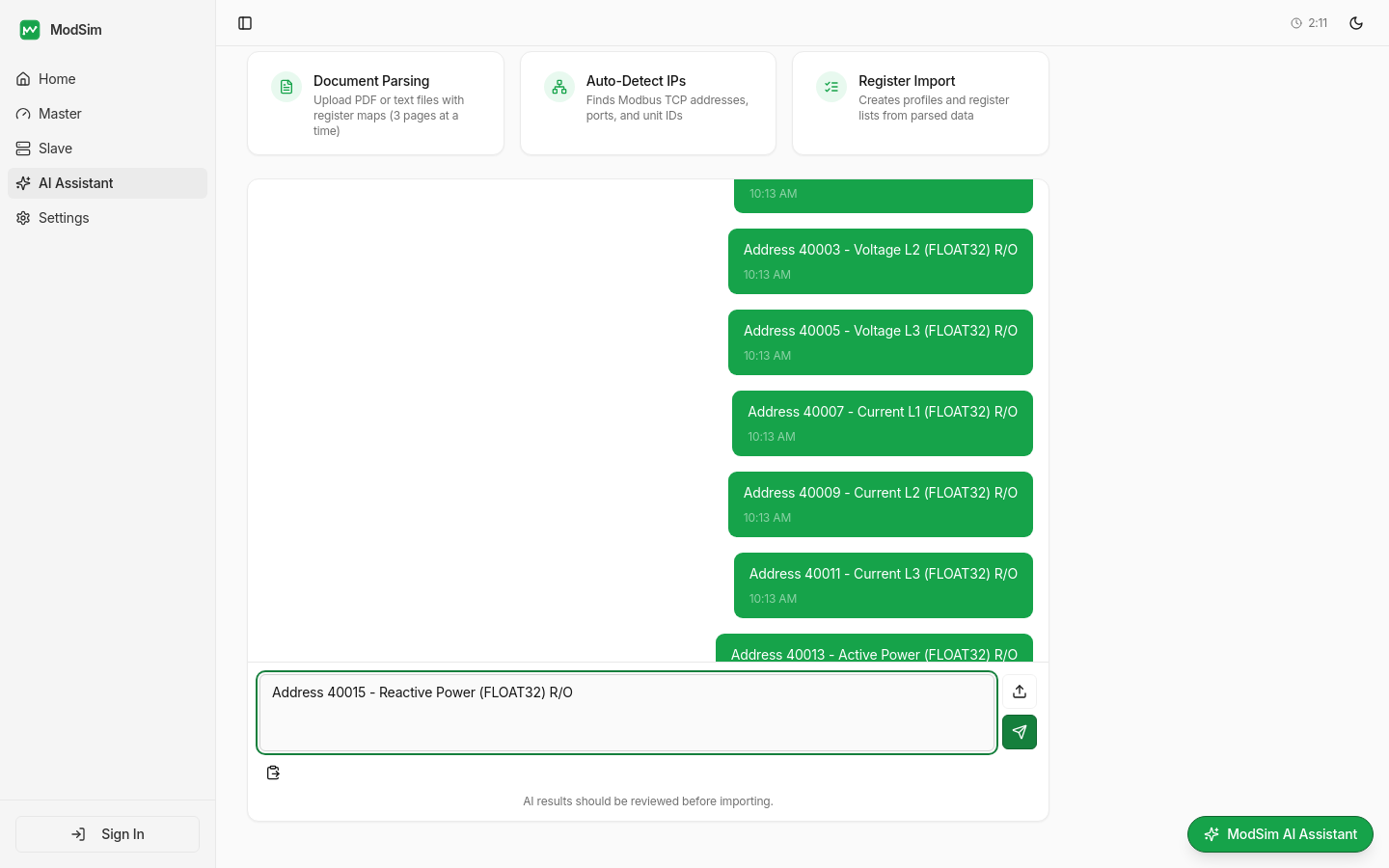
Rex — Paste a register map and Rex extracts addresses, names, and data types instantly
Simulation Types
Two tools, one interface
Switch between Master and Slave modes instantly. Test your devices or simulate them.
Modbus Master
Read & write real devices
- RTU serial via WebSerial API — plug in your USB adapter and go
- TCP/IP with connection pooling for network devices
- Scale factors for automatic unit conversion on readings
- Poller analytics for register values over time
- Save connection profiles and register lists for quick access
Modbus Slave Simulator
Create virtual devices
- Configurable register counts — coils, holdings, inputs, discretes
- Per-register names, data types (UINT16, INT32, FLOAT32, etc.)
- Min/max constraints and real-time value editing
- Live register value graphing with per-slave tracking
- Start/stop virtual TCP servers that other masters can connect to
See it in action
Real screenshots from the app. Every feature designed for speed and reliability in industrial environments.
ModPackQT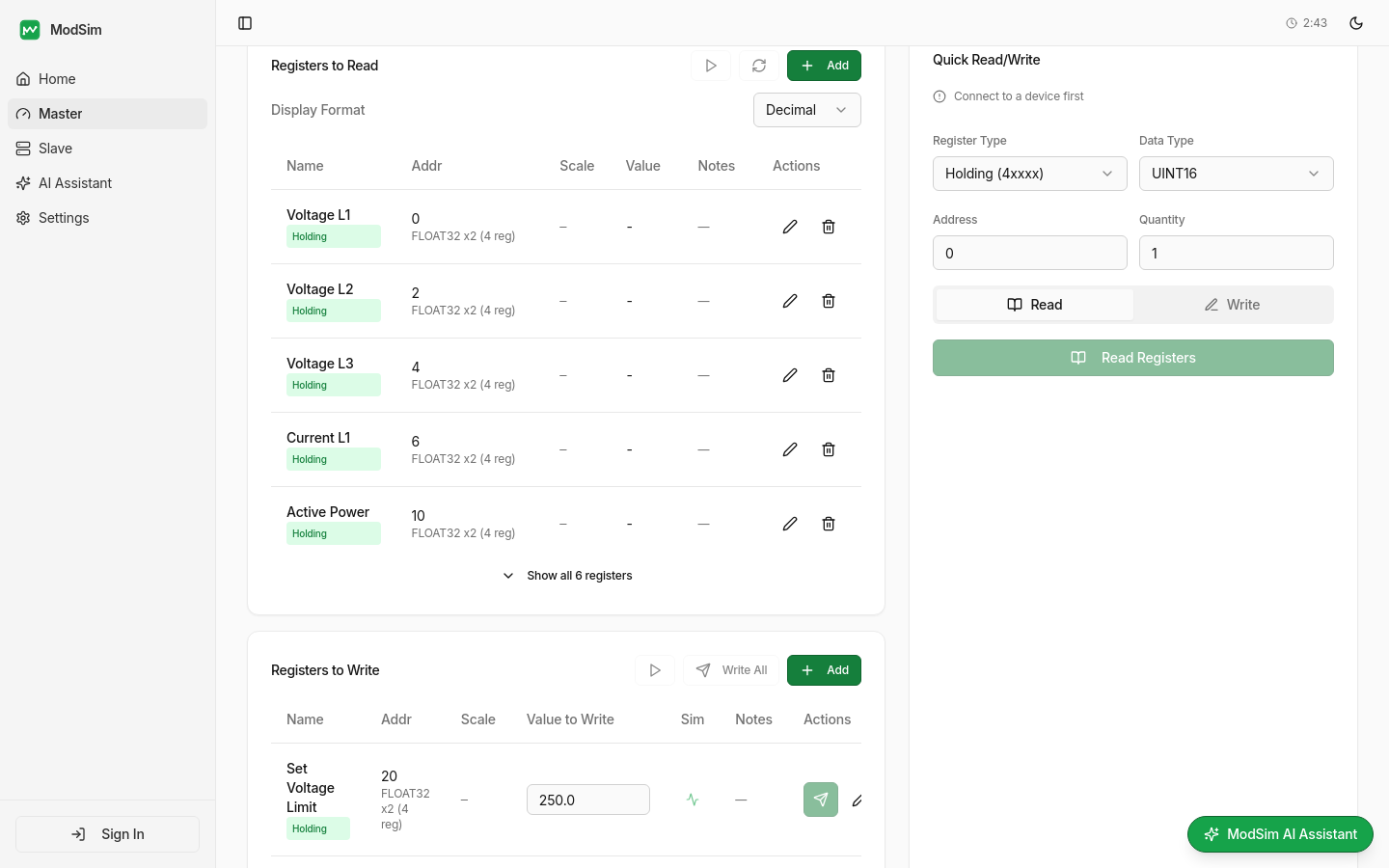
Registers to Read and Write with data types, scale factors, and simulation
Modbus Master
Connect to any Modbus device via RTU serial or TCP/IP. Read holding registers, input registers, coils, and discrete inputs. Write values with configurable scale factors for automatic unit conversion.
- RTU serial via WebSerial API — plug in USB adapter and go
- TCP/IP with connection pooling and timeout configuration
- Scale factors for automatic engineering unit conversion
- Save connection profiles and register lists to the cloud
- Auto-refresh with configurable polling intervals
ModPackQT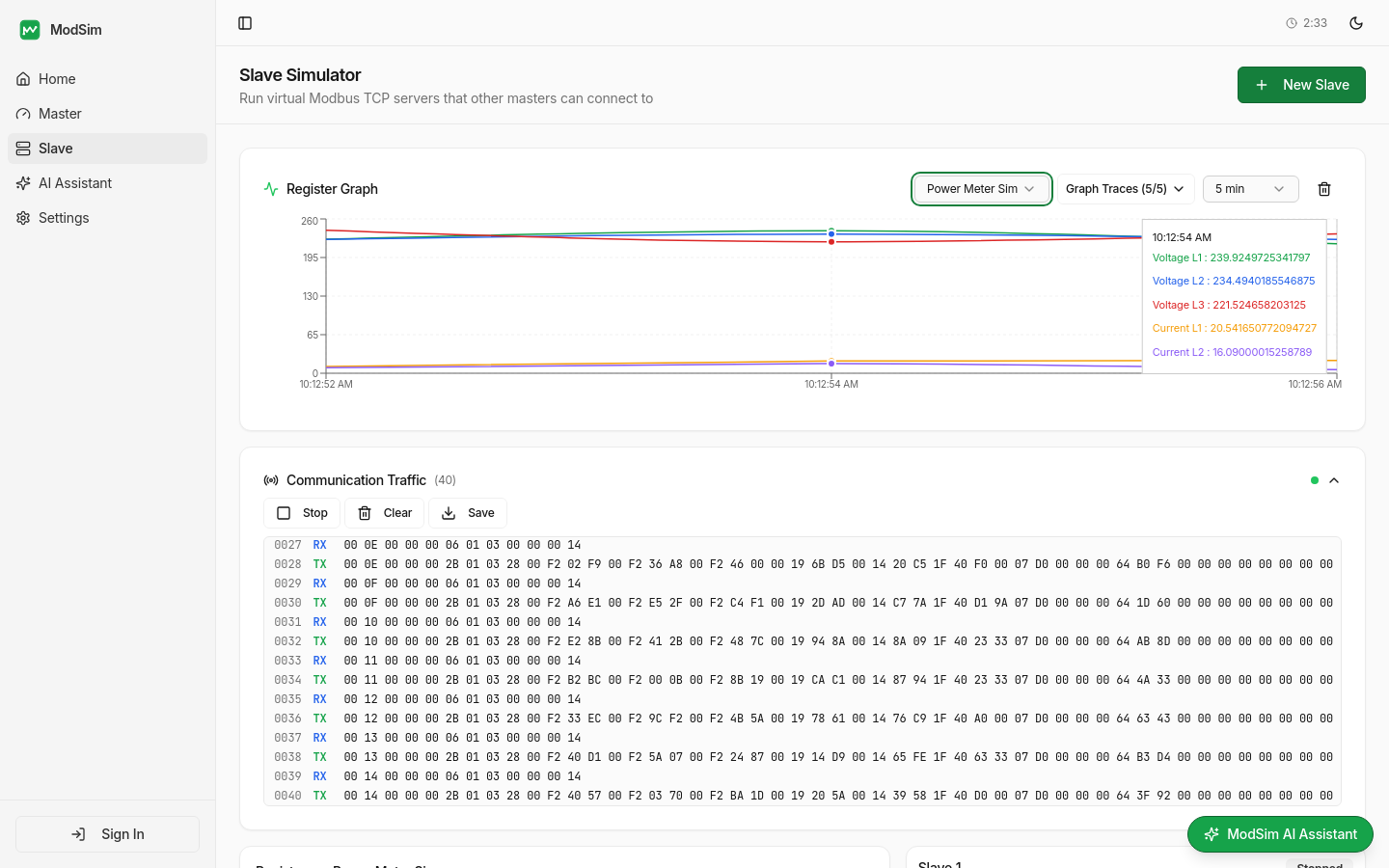
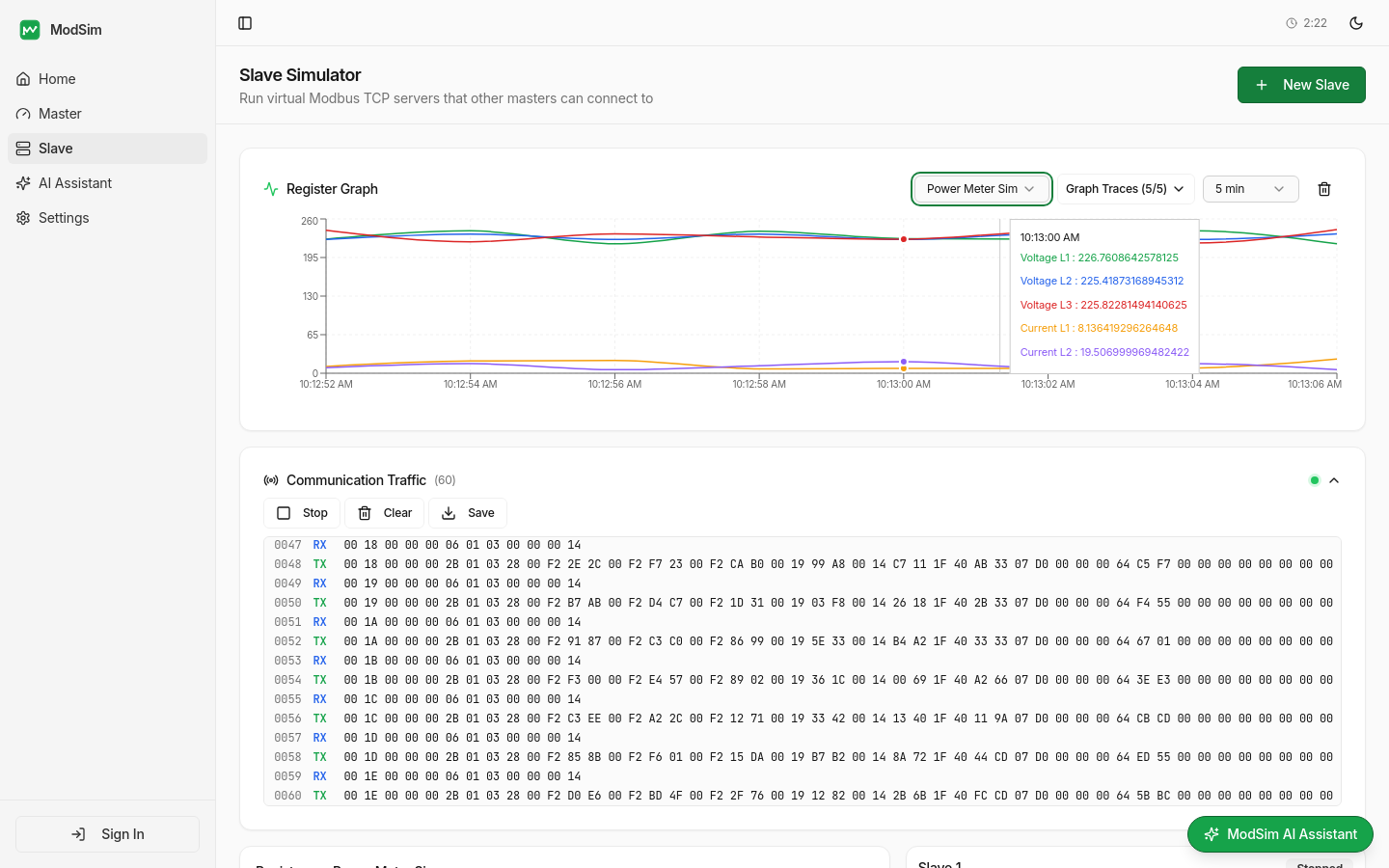
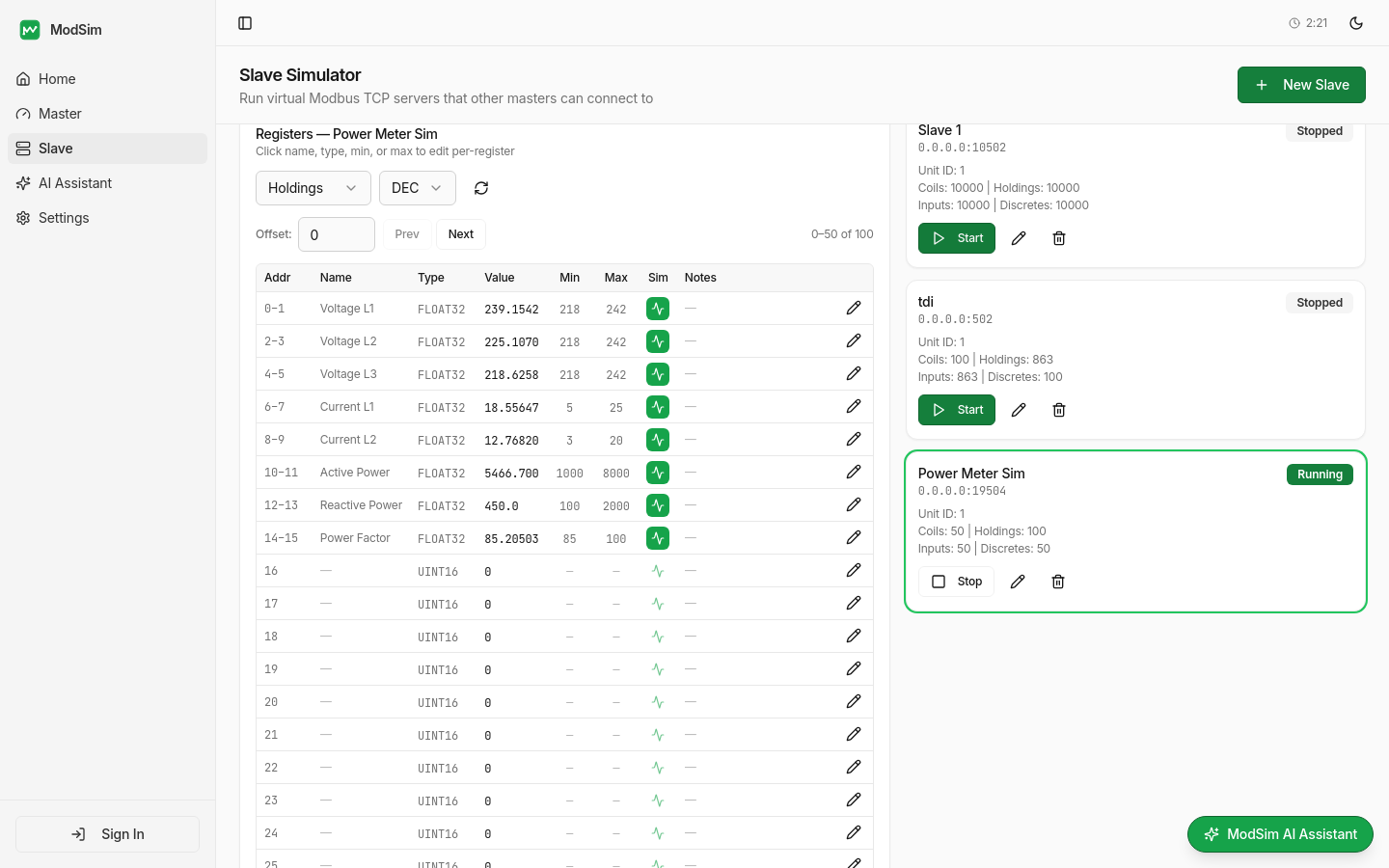
Create and configure virtual Modbus TCP servers
Slave Simulator
Spin up virtual Modbus devices in seconds. Configure register counts, assign names, data types, and simulation modes. Other masters on your network can connect and read simulated data.
- Configurable coils, holdings, inputs, and discretes
- Per-register names, data types (UINT16, INT32, FLOAT32, etc.)
- 8 simulation modes: Sine, Random, Sawtooth, Step, Pulse, and more
- Min/max constraints and real-time inline value editing
- Start/stop virtual TCP servers with one click
ModPackQT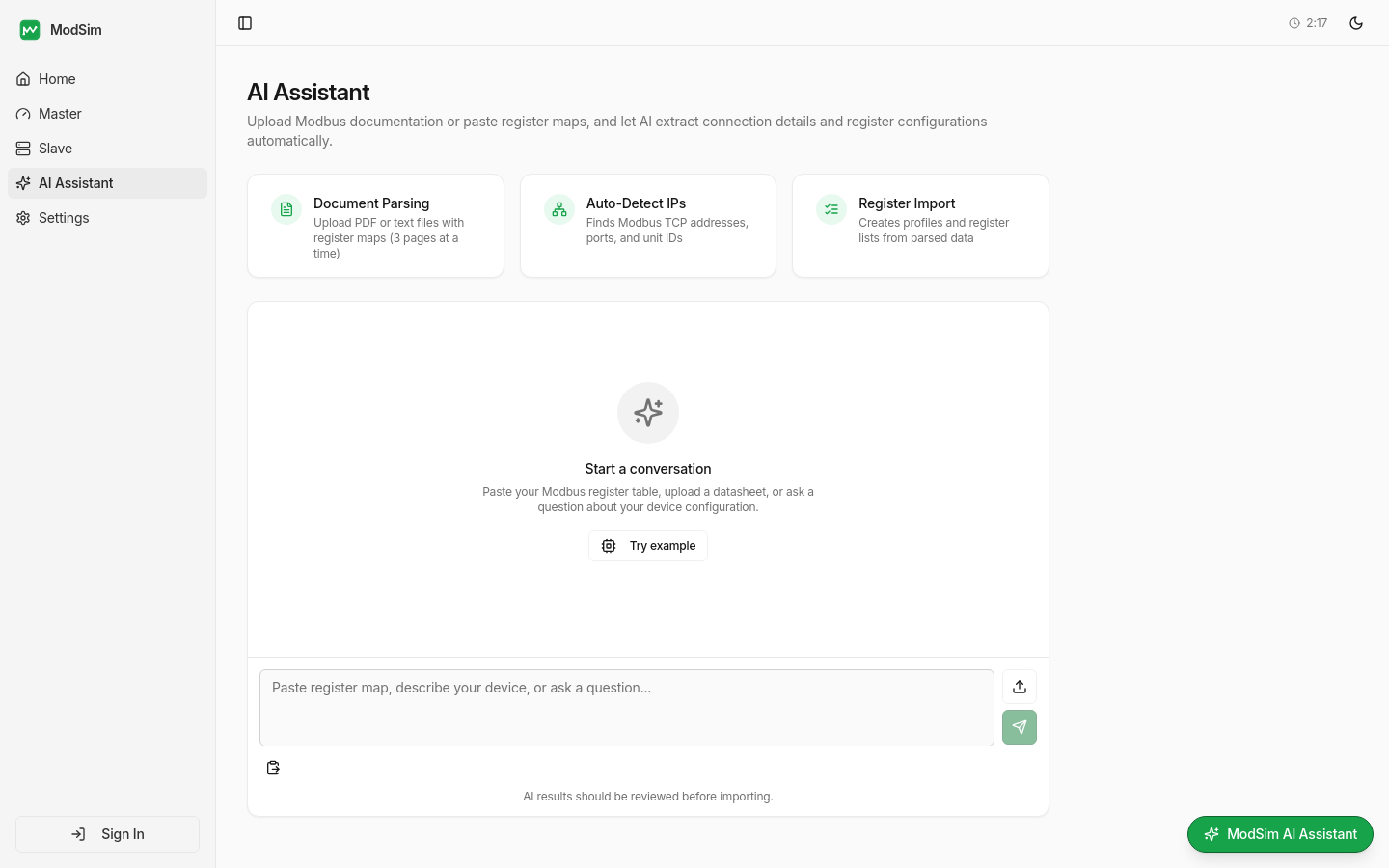
Rex AI with document parsing, auto-detect IPs, and register import
AI Document Parser
Upload a Modbus datasheet PDF or paste a register map. The AI extracts connection details and register configurations instantly, ready to import into Master or Slave.
- Upload PDF, CSV, TXT, JSON, or XML files
- AI extracts addresses, names, data types, and descriptions
- One-click import into Master or Slave profiles
- Handles multi-page datasheets with smart batching
- Saves hours of manual register configuration
Three steps to production testing
From datasheet to live monitoring in minutes, not hours.
Connect or Configure
Set up a Master connection to your device, or configure a virtual Slave with your register map.
Import with AI
Upload a Modbus datasheet and let AI extract register addresses, names, and data types automatically.
Read, Write & Simulate
Execute register operations, monitor values with poller analytics, and inspect raw traffic frames.
Network Diagnostic Tools
Built-in tools for troubleshooting industrial networks. No account needed — use them directly in your browser.
Ping Test
Check device reachability and measure round-trip latency with packet loss statistics
Port Checker
Verify TCP ports are open on Modbus devices — standard port 502 and custom ports
IP Scanner
Discover active devices on your subnet by scanning all 254 addresses
DNS Lookup
Resolve hostnames to IP addresses with IPv4, IPv6, and reverse DNS results
Traceroute
Map the network path to any host and identify routing bottlenecks
Whois Lookup
Query domain registration and IP ownership details
Ready to get started?
Try ModPackQT tools with no account required. Sign up for unlimited access and saved profiles.